> ## Documentation Index
> Fetch the complete documentation index at: https://docs.otpedge.com/llms.txt
> Use this file to discover all available pages before exploring further.
# Bulk Marketing Campaigns
> Dispatch high-conversion marketing messages to thousands of users simultaneously.
 ## Overview
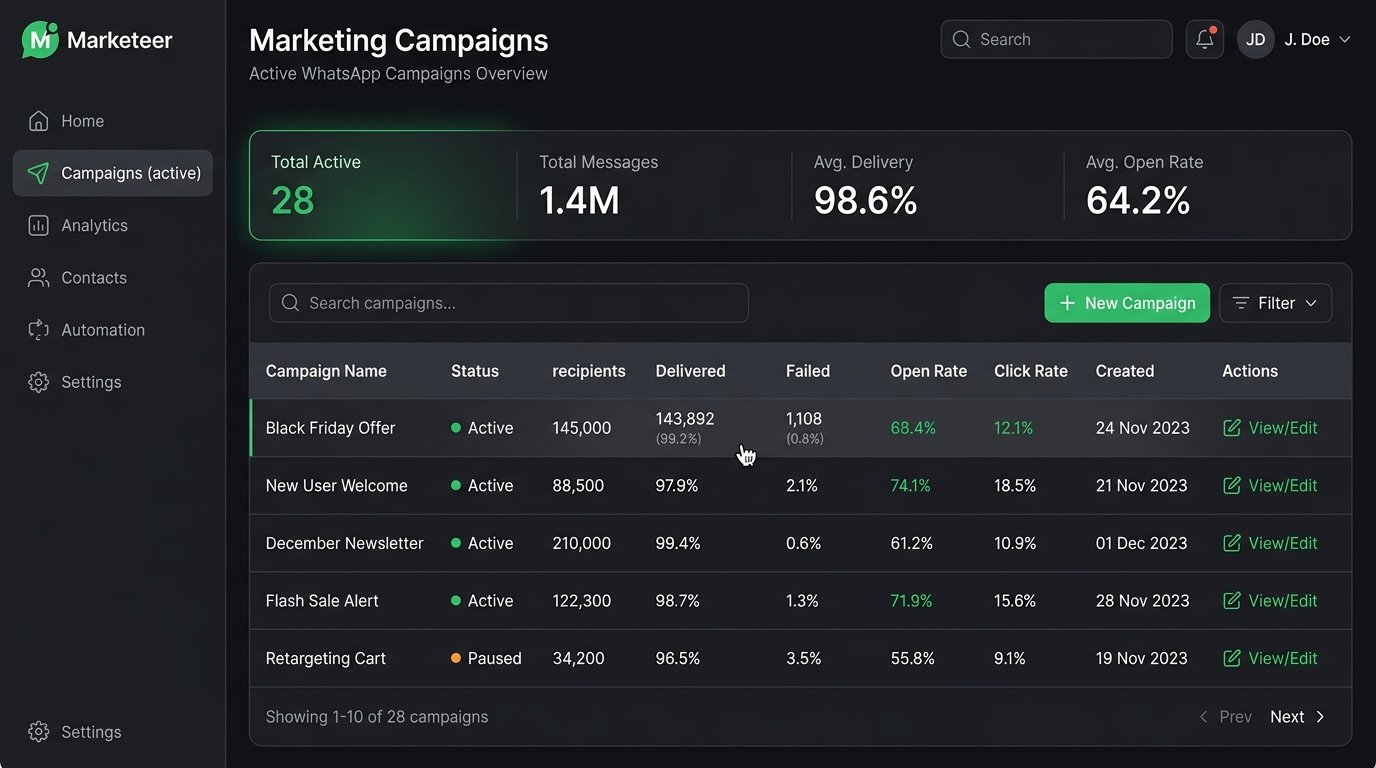
OTP Edge provides a powerful campaign builder directly in your dashboard. You can upload contact lists, map dynamic variables (like First Name, Order ID, etc.), and dispatch thousands of personalized WhatsApp messages with a single click.
## Zero Cold Starts
When you launch a campaign, OTP Edge's distributed kinetic infrastructure queues and processes your messages in the background. Because you are connecting your own Meta WhatsApp Business Account (WABA), your campaigns are dispatched at the maximum throughput allowed by Meta's API without any bottleneck from our side.
## How it Works
1. **Create an Audience**: Upload a CSV of your contacts or use our API to dynamically populate an audience list.
2. **Select a Template**: Choose an approved WhatsApp template containing rich media or dynamic parameters.
3. **Map Variables**: Visually map the columns in your audience list to the variables in your selected template.
4. **Dispatch**: Hit send. Your campaign will process entirely in the background, and you can monitor real-time delivery and failure metrics in the dashboard.
Prefer to build your own UI? You can trigger marketing messages programmatically using the `/v1/send-message` API endpoint.
## Overview
OTP Edge provides a powerful campaign builder directly in your dashboard. You can upload contact lists, map dynamic variables (like First Name, Order ID, etc.), and dispatch thousands of personalized WhatsApp messages with a single click.
## Zero Cold Starts
When you launch a campaign, OTP Edge's distributed kinetic infrastructure queues and processes your messages in the background. Because you are connecting your own Meta WhatsApp Business Account (WABA), your campaigns are dispatched at the maximum throughput allowed by Meta's API without any bottleneck from our side.
## How it Works
1. **Create an Audience**: Upload a CSV of your contacts or use our API to dynamically populate an audience list.
2. **Select a Template**: Choose an approved WhatsApp template containing rich media or dynamic parameters.
3. **Map Variables**: Visually map the columns in your audience list to the variables in your selected template.
4. **Dispatch**: Hit send. Your campaign will process entirely in the background, and you can monitor real-time delivery and failure metrics in the dashboard.
Prefer to build your own UI? You can trigger marketing messages programmatically using the `/v1/send-message` API endpoint.